Toolbox Site Map


Main Menu

Select from Options to suit your needs

map
 Current Map/Data Menu

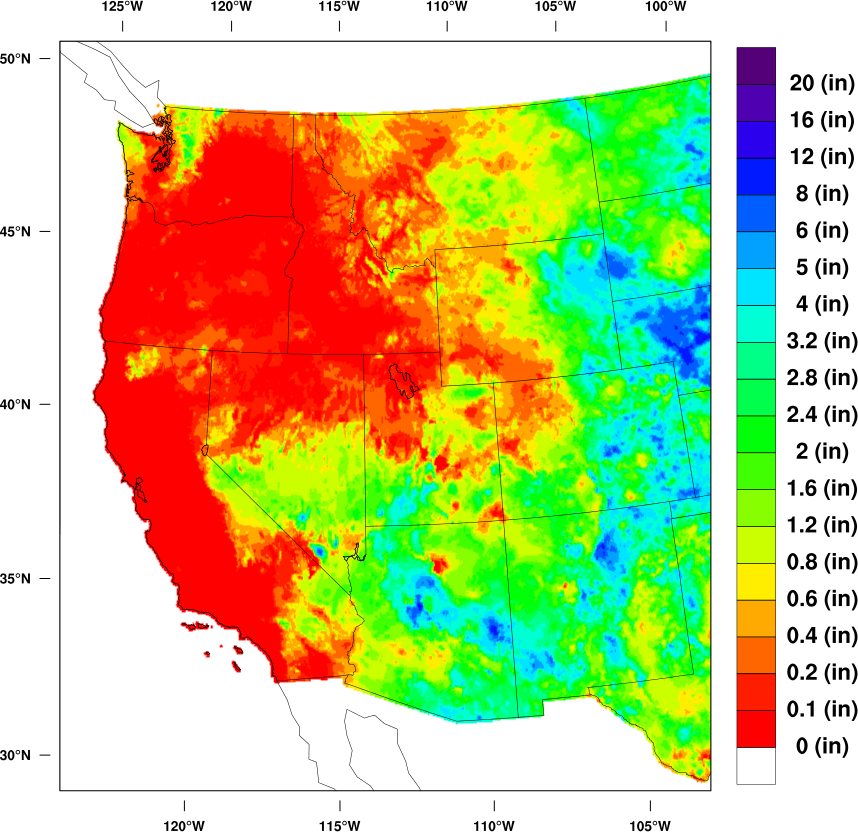
Quick Map
Click on the Quick Map …zoom in and/or
…go to data & tools toolbox

Quick Plot

Shows average value time series of Quick Map, also…link to go to data & tools toolbox

MAIN MENU OPTIONS

Access and Analysis :  This is the entry point to data access, analysis, and mapping options beyond the Quick Map on the front page. Here is where you will find tools to create time series, compute statistics, create different types of maps, download data, learn about metadata, and find the online Tutorial.

Time Series: Using an interactive selection page, users can specify data type, data region, data time period to create graphics, and calculate statistics for time series of interest. Multiple output options are provided.

Mapping: Similar to the time series section, this section allows users to specific data type, data region, data time period, calculate statistics, and create graphic or numerical output. Additional options include creation of composite maps, seasonal maps, anomaly maps, difference maps, mean maps for user determined time and space specifications. User also has the option to create a time series of the data in a map and then use the time series tools to continue analysis of interest.


Metadata: A continuation of PRISM 101.

  • formal description of the PRISM data
  • caveats for use of the data.
  • Error analysis: examples and suggestions for users to consider using in their own studies

           
Tutorial:  Here is where you will find examples of how to use all elements of the toolbox. A link is also given to direct users to the Publications and Applications section of the Toolbox for additional resources and examples.

Custom Requests: Information on how to request custom data or data regions as well as who to contact for more information.

Climate 101: Resources focused on basic climatology and local-regional climatology for the greater stakeholder community.

Climate 101: A climate tutorial

Educational Resources: Resources for K12-U and informal climate studies. Links to statistics “coaches”.

Climate Links: An evolving compilation of website links relative to all scales of climate variability, and other resources for obtaining and working with climate data.

User Feedback:  An area for project team and users to communicate about the resources available on this site.

Publications and Applications: A growing collection of publications and applications contributed by project personnel and users for the benefit of the greater user community.

User Survey: A chance for users to tell us what you like and would like to see added or done differently about the site. Also a chance for us to get additional information on how stakeholders are using the toolbox and keep ourselves aware of the kinds of computing resources they have available to them. 

Help!: A place to get answers that you haven’t found anywhere else on the site.

FAQ’s: Contributions from project team, prior stakeholders interactions, and new questions contributed by toolbox users.

Ask Us: Contact information for the project team. With permission of the user, questions of interest to the greater user community may become a part of the FAQ’s section.


WestMap Overview: An introduction to WestMap and the options available on this Toolbox Site

          What is WestMap?: Information about the WestMap Initiative and the Toolbox project
           

PRISM Maps 101: A description of the data accessible through this toolbox
           

About Us: Information about project personnel and the WestMap Consortium            

Quick Map Tools

“Click on Map”: Select ZOOM and click on map to get a closer look at data OR Select SHOW TIME SERIES to get a time series plot and data listing for region you click on map OR Select BOTH if you want time series of a ZOOM region

Buttons to specify data displayed on the Quick Map

Climate Data Type: click on button for menu options including Average Temperature, Minimum Temperature, Maximum Temperature to have displayed on Quick Map

Subregion of Interest: click on button for menu of regions available to select for plotting on Quick Map.

Period of Record: click on button to select time period to display on Quick Map.

More Options?: click on button to choose between  Data &Tools, Tutorial, Custom Requests, Climate 101, Series Toolbox, or Contact Us.

Help: Click on button to go to Tutorial, Help, or Climate 101.

Print/Download Options for Quick Map

Download Time Series: Select GRAPH to download a time series graph of the data for your selected map OR Select DATA if you only want to download a listing of the data for your selected map OR Select BOTH if you want to download a graph and the time series used in the graph

Download Quick Map: Select the format and you will be given the option to save the Quick Map displayed on screen as a file for use in your own work.

Print Map: Print the map displayed in the Quick Map.

Refresh Map clears the map back to site default.

Quick Plot

Quick Plot (under left menu): A time series map showing the average value for the Quick Map currently displayed on the screen.  Clicking on the plot provides options to make it bigger, print, save to a file, or go to main time series toolbox.  The Quick Plot changes to reflect changes in the Quick Map. No other analysis is possible for this plot.

Return to Main Page